News ·
Signed and Sealed
Your account now lives on the website, the game plays properly on a phone, letters carry items and coins, every tier of magic looks like its own spell, and shops keep real stock.
Your website account
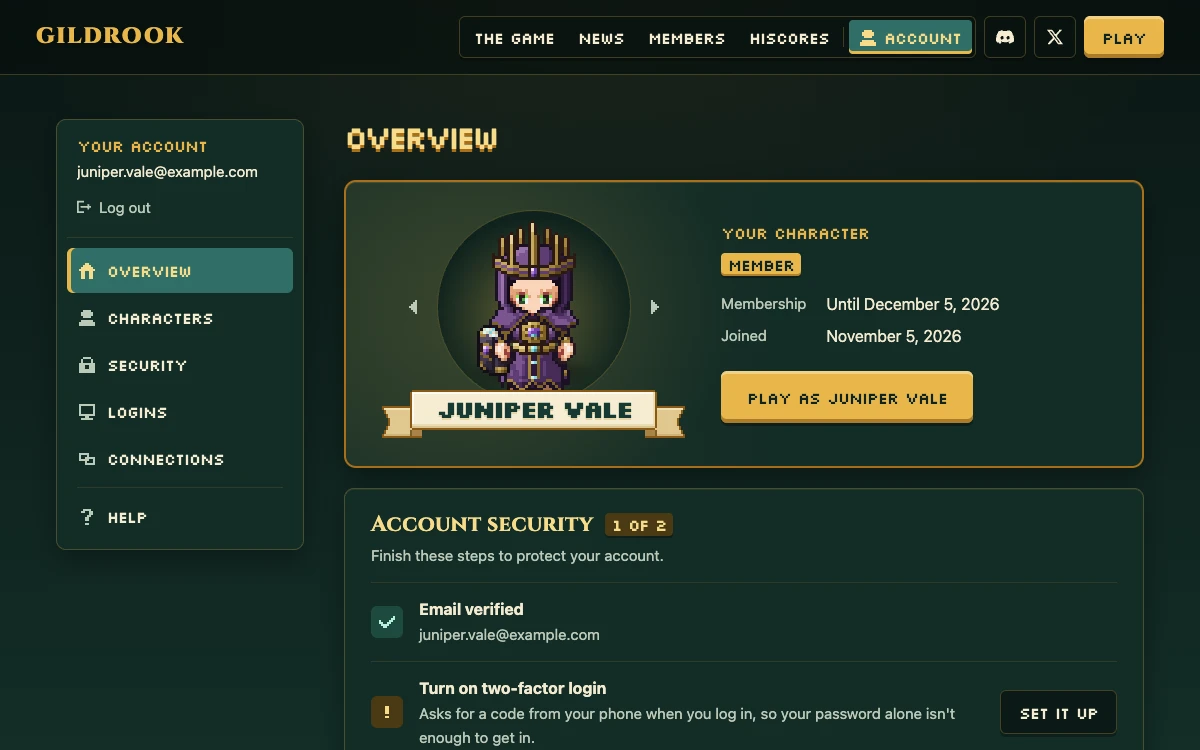
Accounts now live on the website, at gildrook.com/account, so they’re there even while the game is closed between playtests. You make your account there, and your character the first time you log in while the game is open. After that, the game greets you with your character as they look in game, and Play takes you in.
I’ve rebuilt the account pages too: Overview, Characters, Security, Logins, Connections and Help. The overview shows your character on a lit stage with their name on a ribbon, plus a short checklist for keeping your account safe.
Keeping your account safe got a lot of attention:
- Every security email now has a “This wasn’t me” link. It gives you your email back and a new password, and logs everyone else out, in the game too.
- Lock my account on the Security page stops every login at once.
- Two-factor login is three clear steps, and your backup codes can be copied, downloaded or printed.
- Logins shows every browser you’re logged in on, plus your recent activity and the country each came from.
- Very common passwords, and ones that have shown up in data breaches elsewhere, aren’t allowed any more.
- If you lose your phone and your backup codes, our support team can help you back in.
- A Help page covers login trouble, a lost phone, a stolen account, bans, and emails that don’t arrive.
- You can download a copy of what we keep about your account.
Playing on your phone
I’ve redesigned the game for phones from scratch, so the world comes first: your hitpoints and run energy are two orbs in the top-left corner, the minimap sits in the top right, and your tabs are a keypad of big stone keys in the bottom-right corner. A tab opens beside the keypad, and nothing else moves when it does.
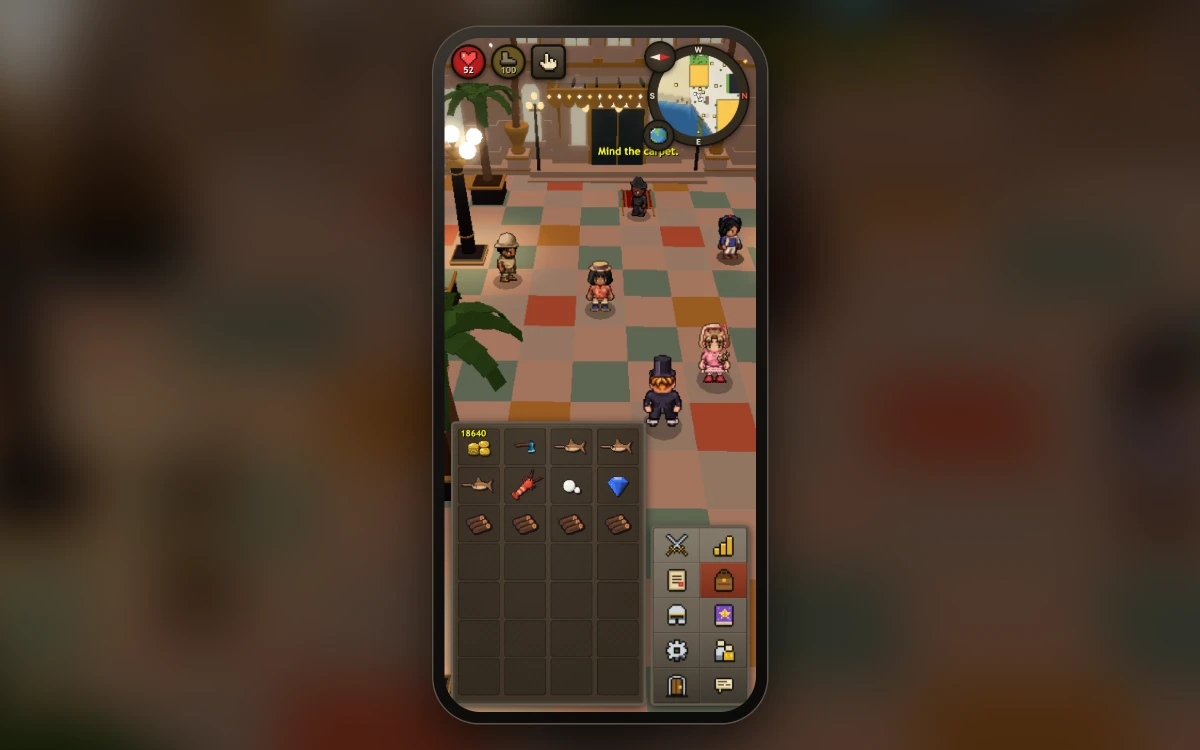
Chat stays tucked away: new messages show for a few seconds, and a badge counts your whispers and trade requests. Holding your finger down to see every option finally works properly. A gold ring grows while you hold, and the menu opens beside your finger instead of under it. If you’d rather not hold at all, the hand button makes every tap open the menu.
Drag a finger to turn the camera and pinch to zoom. Phones start on lighter graphics so the game runs smoothly, and you can add the game to your home screen, where it opens full screen like an app.
Mail, spells and more
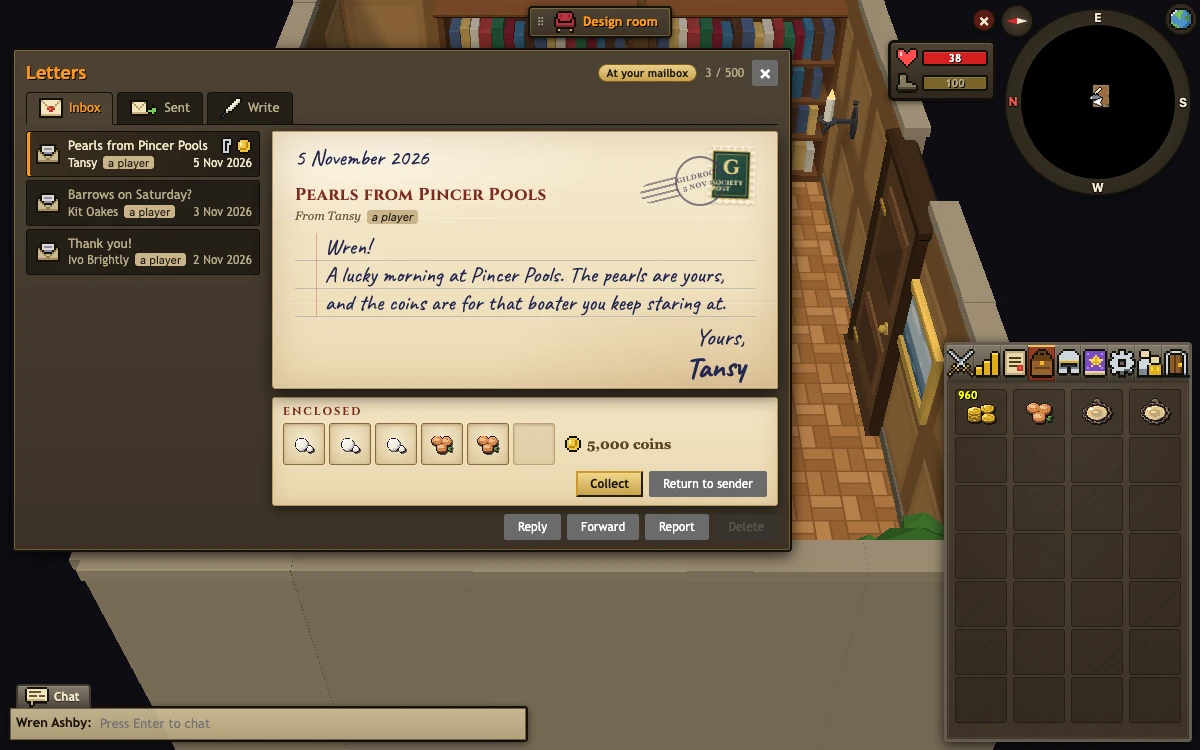
Mail, redone. Letters read like letters: parchment, a stamp, a postmark. A friend’s letter comes handwritten and signed. You can Reply and Forward, and there’s a Sent tab. You can also post up to 6 stacks of items and coins in a letter, for a small postage fee.
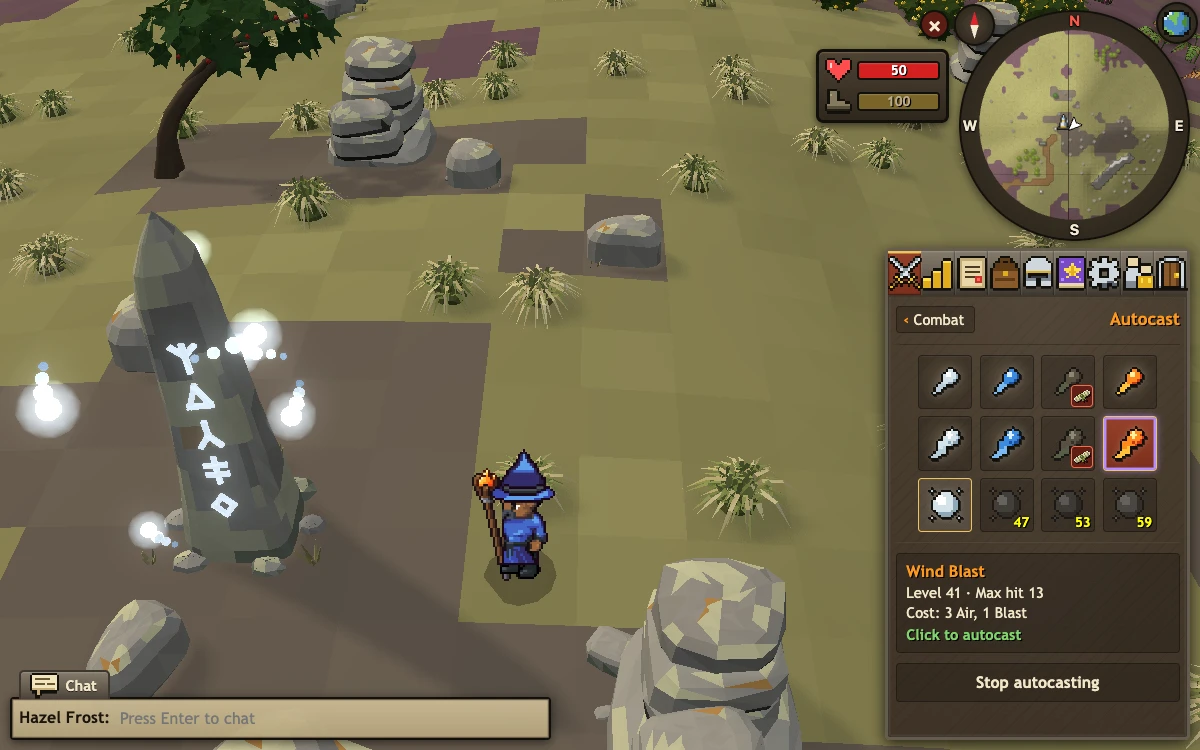
Every tier of magic looks like its own spell: a Strike is a quick flick; a Bolt charges in your hands and bursts in a ring; a Blast gathers around you, flies with a style of its own for each element, and leaves a whirlwind, a puddle, dust or burning ground behind.
Autocast is a spell slot in the Combat tab. Pick from your spells (the ones you can cast light up), turn on defensive casting with the shield beside it, and your staff remembers its spell when you log out.
World select: pick the world you’ll play on, right from the login screen.
The Collection log: make one at the workbench and read it to see every rare thing you’ve had from bosses, monsters and fishing, and what you’re still missing.
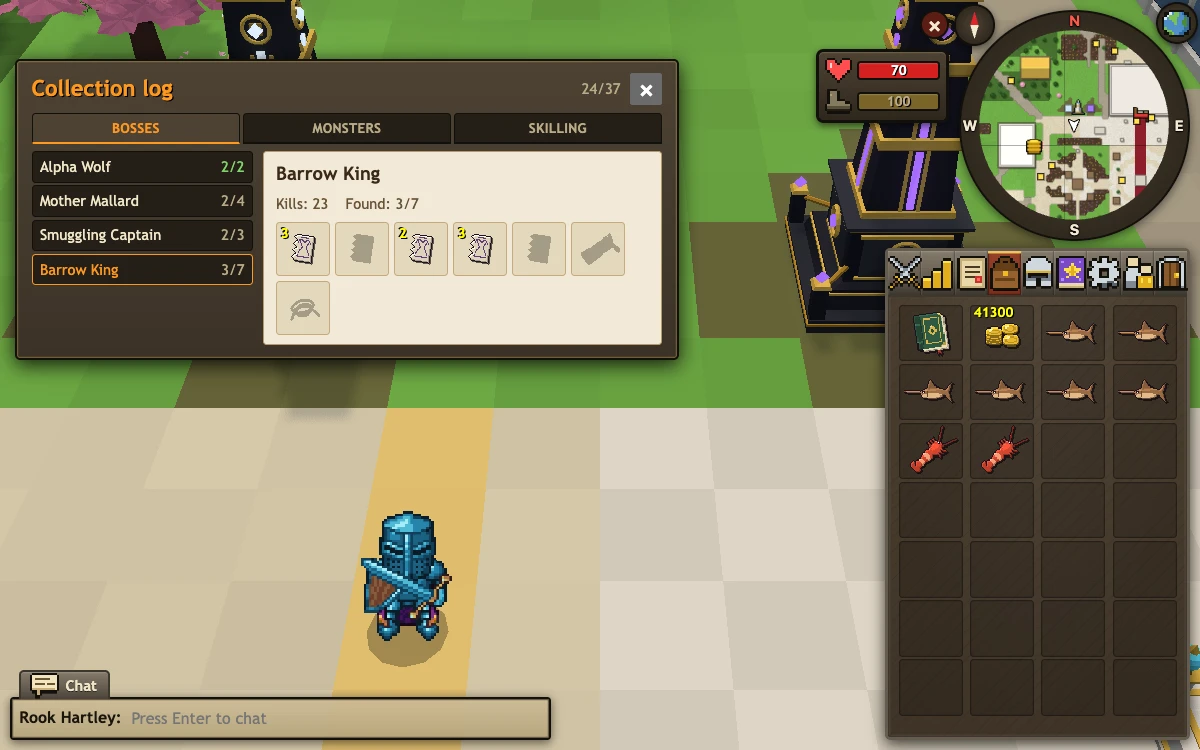
Boss kill counts: you’re told after every kill. Rare drops are announced in chat and glint on the ground.
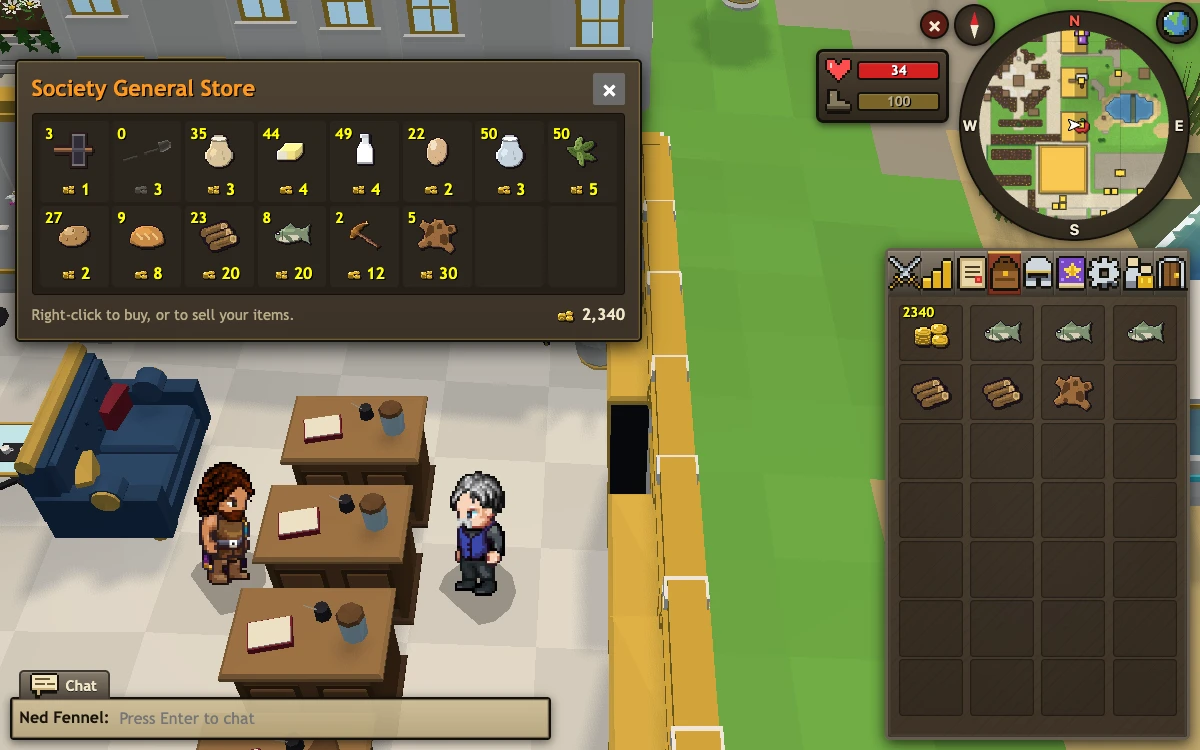
Shops keep real stock. When something sells out, it’s gone for everyone for a while. Anything you sell to a general store goes on the shelf for others to buy, and the compound’s General Store now carries the everyday basics.
Cooking: choose how many to cook; every food burns into its own burnt version; clearer messages tell you exactly what you’re missing.
Smaller things.
- Chat timestamps are an option under Interface.
- The Skills tab shows your XP to the next level on hover.
- The bank has Withdraw-All-but-1.
- Shop menus have Buy-50 and Sell-50.
- Gathering messages are clearer: every tree, rock and fishing spot tells you exactly what’s missing.
- The room editor’s bar sits in the middle of the screen now.
- The Barrow King’s crown behaves when he falls and gets back up.
- Busy spots run more smoothly, and the game’s engine is up to date with the latest security fixes.
See you in the next playtest.